


 Melbourne BG SCS Train Timetable


Quadra 950: Optical Drives
This ended up being a tour-de-force. CD-ROM after CD-ROM failed me and I nearly gave up a few times. Turns out that not all CD-ROM drives will work peacefull.... who am I kidding? Apple has always stuck with proprietary hardware.
There's some great things to learn here when trying to use a non-Apple SCSI CD drive. I think the most important is that you cannot expect 100% functionality. That and you may well need to hack your drive to stop the tray locking; or hack the code to correctly support your drive's locking mechanism.
HP C4343A SureStore 6020i
So, I bought a CD drive off eBay. Listed as an old HP SureStore Writer, 50-pin SCSI. PC/Mac Compatible. The Quadra 950 had been off (and unplugged) for days and, instead of turning the machine on and ensuring I had a known-state to base my upgrade from, I dug straight into the upgrade. I opened it up and installed the drive. I put it on the SCSI cable right next to one of the 2 hard drives already installed.
Once back together, I applied power and ... crap ... the flashing-question-mark-on-disk of death icon. OK, it cannot find the boot volume? Maybe my SCSI IDs are conflicting or some-such. So, I take the CD drive back out and .. nope .. still the flashing-question-mark icon on boot.
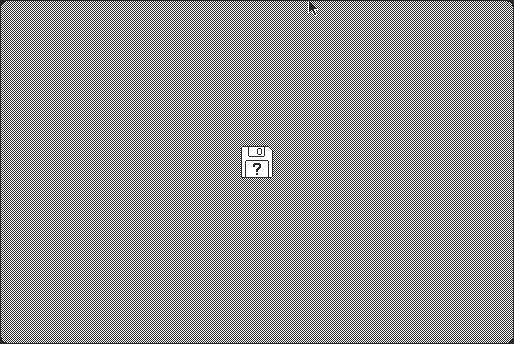
It chimes, the hard drives spin up and think a little, then nothing, just the flashing icon. I remove the PRAM battery, zap the PRAM (although only one chime-reboot), take out the PPC card, the real RAM and then disconnect the power supply from the motherboard. I try the second SCSI bus (there's another 50-pin socket under the power supply) to no avail. Whilst doing all of this I notice that I already have the VRAM upgrade! No need to buy more.
But.. nothing... have I trashed the logic board? The SCSI cable? Has the addition of a faulty CD drive killed the other two SCSI drives? I'm at a loss. It's 2am and I choose to sleep on it.
The next day, after a stressful day of reading up on other people's posts with similar symptoms, I return home to test it all out again. I reset the PRAM with 4-chimes (it seems that one chime restart isn't enough for some cases) and try a new PRAM battery. Most articles point that without a proper voltage from the battery, the motherboard will get very confused and behave erratically. I find that replacing this and fully resetting the PRAM does not work.
During the day, I purchased a floppy drive, floppy disks and another SCSI cable from a PC shop in the city. The cable only had a total of three plugs on it, so I plugged one end into the motherboard, the middle into one of the two disks and the existing terminator on the end. Presto... the bloody disk booted. It seems that, in my efforts to install the CD drive, I've fractured/damaged/destroyed the original SCSI cable. This cable had bends, folds and twists in it already, so I can only imagine that I've fractured the wires inside those folds when I was manipulating the CD drive into position.
 Do you get the flashing question mark or just a grey screen?
The root cause here ended up being a fractured, old and tired SCSI cable.
Replacing it got my Quadra booting again.
Either way, it was a relief to find the machine booting again. I threw the CD drive in the bin as it wouldn't even power up anymore and found another on eBay. Do be careful when buying crappy old HP hardware to stick in rare, somewhat fragile, vintage Macintosh machines!
Update: It turns out that non-Apple SCSI CD-ROM Drives get their trays locked. As found out from trying the second drive below, Apple only wants you to use the eject button or drag-to-trash on the desktop. They try their hardest to prevent you from ejecting the disk manually to prevent data issues.IO-Data RX4420
My second drive arrived... it's an IO-Data RX4420 from Japan. An Australian seller had it and it's a relic from the same era as my Quadra. It's in an external case that runs on the 110v Japanese standard. I didn't feel like voltage converters and the like, so I ripped it out of it's case (put that aside for safe-keeping) and attempted another internal install.
I set the SCSI ID to '1', knowing that one HDD was '0' and the other was '2'. All installed and ready to go, I booted the machine. For the first 10 seconds I could happily press the eject button and the tray would pop out. Once on the Macintosh desktop, the drive stopped ejecting! Pressing the eject button would cause the drive to attempt an eject, I could hear the motor humming, but the tray would not move. The tray had been locked!
Ok, Mac OS has locked the drive? Is this punishment for a third-party unit? After a little googling I came to the conclusion that you must have third-party drivers for third-party CD-ROM drives. Needing another driver also means that if I ever want to boot from this drive then I'll need a floppy boot disk with the drivers copied on. As that my drive was Japanese and made in 1999, I assumed that I was nearly out of luck to find a relevant Macintosh driver... googling was resulting with nothing.
I then stumbled across Third-party Optical Drive Support. It explains how to edit your Apple CD-ROM Extension to support any CD Drive. I downloaded ResEdit and gave it a go.
As per the instructions I dragged the extension to the desktop and duplicated it (command-D) as a backup. (Note that shift-command-3 takes screenshots on the System 7 and MacOS 8.) From here you need to open the extension in ResEdit, navigate to "DRVR" and then the first driver in the list marked "42". Select it and then choose Resource -> Open in Hex Viewer. Edit the offsets as mentioned in the link above. When editing, make note of the next data block (7e09 in this case.) Highlight the data block you're trying to replace and start typing. Everything will shift around... but once you've typed in 4 characters it should be back and you should have your new value in the correct spot. Always compare the next line again to audit your own changes. If required, you can go to Resource -> Revert this resource to undo all changes, or command-Z to undo the most recent edit.
I saved the extension and dropped it back into the System Folder. Unfortunately, upon restart the boot process froze whilst trying to load extensions. Was the base MacOS 8.1 "Apple CD-ROM" Extension ever going to work with my drive? I attempted to upgrade to "Apple CD/DVD 1.2.2" as it was mentioned to work with "older Macintoshes." Note that you can get all the drivers here. After throwing the extension in, I rebooted without the mod. No go... Apple CD still indicated that the drive was not responding. So I modded it and rebooted... same result, freeze during extensions load. I held down shift on the next try and booted without extensions. After verifying the resource hacks on the driver, I decided that 1.2.2 was a no-go. 1.3.1 failed as well.
Hindsight: At this point I was using AppleCD to test if the drive was working. As that the tray was locked, I had not put a CD in. I'm wondering if it was working (as it was showing in SCSI Probe) and I just needed to jimmy the thing open.I gave up... seems I need a real Apple CD Drive to get MacOS 8.1 going... Using Yahoo Japan (and my limited Japanese), I searched once more for the model number of the CD Drive and found out that the company didn't support it under MacOS at all. There's also product information from IO-Data here that never mentions MacOS (thank you again Web Archive!). Apple clearly states that you'll need a third-party driver. There's discussion here on 2-chan where it seems that a user has asked about compatibility, tried it and never responded... can't be good news.
Or is this really the end? I then found a link here with third-party one-size-fits-all cd-rom drivers. The indicate that CD Sunrise works with 99% of CD drives. To get it to work, one must download the archive from that link, extract it somewhere and drop the extension on your system folder. Didn't work...
And now the rabbit-hole continues. Here's a link with a crap-load of drivers to try... I installed Apple CD 5.3.2 and then followed the hack described here. Low and behold it was the same hack as I'd done on 5.4.2. ... No good....
Trying the FWB CD-ROM Toolkit 2.3.1 gave me a little bit of hope. It could see the drive but it told me that I needed a driver to do anything with it. I didn't really have any ideas on what to do next.
Since I had the network going, I started copying games over to the Quadra. One was a CD image and needed to be mounted by the Toast 4.1.3 application. It turns out that Toast comes with its own CD driver extensions? Prior to testing these, I opened Toast and it instantly saw the drive and happily gave me device information. Clicking the eject button had the same effect as the physical button on the device; it tried to work but was locked. At this point I started to wonder if it was really locked... So I stuck a screw-driver in the pin-hole to eject the tray. It jumped out. I then closed it and tried to eject from Toast. It worked. What's going on here?...
Based on this good news I dropped the Toast CD Reader extension into the extensions folder and rebooted. The CD Drive was locked, so I forced it open and slapped a CD in. It mounted the disc onto the desktop. It seems that the tray-locking mechanism just hates Apple. I attempted to eject the CD from the desktop and the drive was locked! I had to physically force-eject it again. For good measure I tried the CD Sunrise driver again. It also worked!
Urgh... I now had a good-enough working CD Drive. I now wonder if the previous HP drive actually worked. It may have just been suffering the same tray-locking symptoms. The Apple drivers (un-modified) may have also worked, if only I'd bothered to try and force a CD in the drive. I'll go back and test this when I rebuild the machine on fresh HDDs.
Either way, the locking meant that the drive was still highly unusable. There's gotta be a way to disable the tray-lock mechanism. Should I break the drive open and remove its ability to lock itself? It should be as simple as disconnecting a plastic pin somewhere in the mechanism... or is there a driver that does the proper 'unlock' prior to eject?
NEC CDR-1410A
Although I had success with the second CD Drive, I had already accidentally won an 'official' Apple SCSI drive for AUD$10. It's an NEC, so it's not as 'official' as I had expected (no Apple logo on it.) The model number is NEC CDR-1410A. I checked the SCSI ID configuration and saw that it was set to ID '3' (J0+J1). I pulled the second jumper to set the ID to '1'. Prior to shutting down the Quadra, I disabled CD-Sunrise and enabled the original Apple CD-ROM extension... should work right? It's an Apple CD-ROM drive!
Plugging the cable in, I booted the system and the SCSI device did not show in Apple System Profiler under Devices. It was half-way along the SCSI chain, and the hard disks still worked fine. Shutting the machine down, I inspected the cable and jumpers. The internal termination was on! So.. it seems that if you have a device mid-way with TE enabled, it'll only knock out that device? I thought it'd then block the rest of the chain too!
I grabbed a pair of tweezers and removed the TE jumper. Booting back up, the device now showed in Apple System Profiler. I could even eject the tray. I grabbed a MacOS 8.5 CD I had laying around and inserted it. Nothing. Not even the standard CD action of "is there a disk inside me?". On a hunch, I re-enabled CD Sunrise and disabled the Apple CD-ROM Extension. I manually (although not forcefully) ejected the CD for good measure and rebooted.
Once back at the desktop, inserting the CD saw MacOS 8.5 appear as an icon. I then tried the eject button on the drive to no avail; it was locked. Fortunately, this time that was expected. You should not be ejecting mounted disks. For fun, I dragged the mounted CD icon to the Trash and watched the bloody CD eject the tray, offering me a warm CD. How wonderfully frivolous when shit just works.
All for fun, I then disabled CD Sunrise... This meant that all CD Drivers in the Extensions list were disabled. The drive still worked. At this point I decided that black-magic was at play and I had no chance.
Just for good measure, I returned to the Mac Driver Museum : Disks and noticed that there was an NEC Speedycd v5.31a driver. Note that these are also actually downloadable from the official NEC site also!
Upon installing the driver it turns out that my model isn't supported. I installed the driver anyway and restarted the Mac. The SpeedyCD utility seems to cache random "often used" files to your harddisk to 'speed up' CD access. Interesting theory... Otherwise the software added no extra functionality.
Since it is now working, this is the drive that will carry my Macintosh into the multimedia age! (although in the dark ages, it seems, I need better lighting for my photos!) I'll try booting off it tonight. I want a fresh install of MacOS 8.5 on my new HDDs, which all appear in another post shortly.
Booting from a non-Apple SCSI CD-ROM
Some CDs aren't bootable and your Macintosh will never boot from them. You'll therefore need a floppy bootdisk relevant to that CD. Find an image and then learn how to make a boot disk on a windows machine here. You may also need to copy drivers over for non-standard CD drives. CD-Sunrise is usually a pretty good bet.
I had originally expected the NEC drive not to boot, but the MacOS 8.5 disk I put in there tried to boot on a restart. It didn't get far as the is for genuine PPCs only, not upgraded 68ks.
It turns out you can install 8.5 on the machine... but I'll create a new article on that. If you want to do it now then see the instructions here.
Apple PowerCD
I couldn't resist this item when I saw it on eBay. It's nearly a discman, but you actually need the base to make the whole thing function. It turns out that half of the required 'brains' to even spin the CD are in the base! There's a forum post here that details this more.
This thing is pretty! It's smaller than I expected. It's not too heavy either. It played a burnt audio CD flawlessly through both the 3.5mm audio jack and the A/V output cable. This cable has Stereo RCA Audio leads and composite video, the video being for PhotoCDs.
It also came with software: Kodak PhotoCD (CD), Apple PowerCD software (CD) and a driver floppy. I'd purchased the Apple Design speakers, which sound great for their age with this unit! My test audio CD was non other than the soundtrack to The 7th Guest and The 11th Hour: Fat Man And Team Fat, The – 7/11.
There was no SCSI cable, so I had to find one online... eBay was only offering results from the USA. The cable required is a DB-25 SCSI to Centronics 50-pin. These are chunky and heavy and old. Be careful not to buy a parallel printer cable... they look very similar but only have a 36-pin Centronics plug on the other end!
The cable arrived and was a nice length to allow the PowerCD to be placed under the monitor. Everything fitted together well and I suppose I'd really fluked buying the correct cable. Note that this (like eSata) needs to be configured, plugged in and set up prior to booting your Macintosh. SCSI is not plug-and-play!
The display on the unit changes to 'data' once the Macintosh initialises it. First boot saw a disk mount to the desktop, but AudioCDs would do nothing... zero recognition. I then remembered that the drive came with software and installed the AppleCD CD Player. On reboot, inserting an Audio CD made finder crash in MacOS 8.1! What the hell... I haven't since gotten an Audio CD to work. Since the install, unformatted floppies also now make Finder crash. Yey!
I used the PowerCD to install MacOS 8.5 (of which I actually have a legit copy of!) The internal drive kept throwing data errors (blaming on drive speed vs. error correction capabilities vs. scratches) and so, although it took over 50minutes, I switched to the PowerCD for that authentic experience!
I had no further luck with MacOS 8.5. I had to install the Apple CD Player to get the application to work with the drive and it would see data CDs fine... Audio CDs would cause the system to lock up though. It actually turns out that MacRumors has a little hint that 'getting it to work with Macintoshes of the day was tricky'. I wonder what I have to do to make it function...
It turns out that the Apple CD Player is not the way to go... the PowerCD Installer installed PowerCD Audio (under the Apple menu) and this is to be used. I gleaned this information from the PowerCD User Manual. With this open, inserting an Audio CD and hitting play also causes Finder to lock up! I wonder if there's software updates somewhere? Here they are, and also over here. Thank you Macintosh Garden!
The drivers did no good... they're the same as the version on the floppy that came with the PowerCD! The installer locked up trying to install the PowerCD Extension, I assume it was still in use? A reboot made it obvious that the drivers had uninstalled. So I reinstalled from the download once more, rebooted, inserted an AudioCD and everything locked up again.
Final test... remove the internal CD drive... maybe the PowerCD only ever expects one CD drive on the machine. After the huuuuge wait from a cold boot (too much RAM! 256mb makes the machine take minutes to switch on), the same scenario occurred. Who cares... no more Audio CDs. For fun, I connected the internal drive again and threw the Audio CD in there... no lockups, but no response at all... didn't mount, could easily eject.
todo: test CDROM Toolkit.
Further References:
- Macrumors: PowerCD
- Applefritter: PowerCD
- computers.popcorn.cx: Apple PowerCD
- RetroMacCast: Apple PowerCD (1993)
- Another Computer Museum: Apple PowerCD
- Classic Computer Shop: Apple PowerCD H0038 Audio CD Player
Pioneer DVD-303S-A
As you can glean from the model number, this is a DVD drive. It was reported to work with A/UX installs and so I purchased one from an Australian seller on eBay. It's a slot-loader and makes some pretty cool noises.
MacOS 8.6 hated this drive. I still need to test CD Sunrise and Toast Extensions, but it wanted nothing to do with it on the base drivers. Meanwhile, A/UX found it and installed perfectly!
Quadra 950 CD-ROM Case Bezel
The case doesn't allow the easy insertion of a CD-ROM Drive. You'd have to destroy the face-plate to mount the drive directly. Due to this, I whipped open Tinkercad and designed up a new bezel.
Quadra 950: Ethernet and Internet
I purchased both a Nubus Ethernet card and an Ethernet Transceiver. The transceiver has arrived and is plugged in, AppleTalk worked perfectly first time.
Make sure that when you change the Connect via interface in the AppleTalk Control Panel that you CLOSE THE WINDOW.Your changes wont actually take effect until you do this!
Ethernet Transceiver
This device plugs straight into the port on the back of the case. Most Macintoshes (if not all) of this era have this port. I imagine they made this obscure port due to the amount of differing network technologies at the time. Nowadays we just have Ethernet, so most devices simply have the same CAT-5/6 port on the machine. Either way, once plugged in, the green link light lit up and the orange even started in tune, following netflix traffic on the network.
MC3NB Rev.B2 Asante Ethernet Card
This card is a relic and reminds me of the good old ISA days with BNC (thinnet networks.) It has an AUI (or AAUI) port for hooking up a transceiver ... although it already has a UTP/RJ45 connector on it, so I just need to plug it in!
Slapping it in the tower was straight forward... I put it in a higher slot than the video card, leaving ventilation room for the PowerPC card.
Once installed, I powered on the machine. As you can see from above, all the existing Ethernet extensions failed. Once on the desktop, the standard "AppleTalk is not working" dialog appeared. First guess is that I need drivers for this device. I jumped on my main PC, visited The Mac Driver Museum: Network and downloaded Asanté Ethertalk Installer Version - 5.2.9 (636k, 800k disk image) as the 5.6.1 is a broken FTP link. I then booted up a2server and copied the hqx into the G2FILES directory. I had to reboot the Quadra with the above Ethernet Transceiver plugged in to get the file across!
The install went well and forced me to reboot. I had forgotten to disable the failing Ethernet extensions so the boot up was slow... they take their time to report a fail. A new icon appeared at the end of the boot extension list for the Asante driver. At the desktop, AppleTalk still failed to start, but this was expected as it didn't know to switch to the new interface. Opening the AppleTalk control panel and selecting "Ethernet Slot 3" worked like a charm.
Testing the Internet, I double-clicked the 'Browse the Internet' icon and IE threw the usual "cannot connect to internet" error. TCP/IP was still trying to use the old Ethernet interface. I therefore went in to the TCP/IP control panel and switched the interface to the newly available "Ethernet Slot 3". Remembering to close and save settings (leaving as DHCP), hitting refresh on apple.com.au got me straight on the net... until IE threw an exception and I landed in MacsBug! To exit the MacsBug debugger (I had no intention on fixing IE), type in es, the abbreviation for 'Exit to Shell'.
Sharing data
I used CockatriceIII as a fileserver. It works with all versions of windows and uses the winpcap library for ethernet. BasiliskII will work if you have something less than Win7-32bit. Both machines saw each other instantly. Even better, I'd had my MacOS 8.1 CD inserted on CockatriceIII and could just share it to the Quadra. I started installing on a blank partition (the machine came with 2 SCSI drives with 4 partitions each... overkill?)
If you need OS versions, then you may find some options here, here or here. *ahem*.
Note that from here I loaded up a2server on the network... following their instructions, the vm came up perfectly in VirtualBox (make sure you select a WIRED ethernet adapter, in bridge mode and promiscuous-mode:ALLOW ALL.) Also note that you should not use the A2FILES share. This has a limitation that all file names need to be upper-case and max 15 chars. I talk more about this in another post.
Use the GSFILES folder in a2server when sharing to Macintosh Computers! It supports proper file names and lengths whereas the A2FILES is for Apple II ProDOS files.Further References
There's a lot of drivers available at the The Mac Driver Museum: Network. Note that the site also has drivers for just about every other peripheral for a machine of this vintage.
If you need network tools, then visit Old Macintosh System Software and TCP/IP. You'll find all of the basic low-level networking tools to diagnose issues.
There's drivers and tools over at Glenn's ethernet cards and drivers page.
A lot of it relating to the SE/30. Apple Fool has the Classic Mac Networking Guide which will tell you everything you need to get your Macintosh on the Internets.
And finally, the System 7 Help Center provides more network drivers and articles on how to install, configure and work with System 7 in the 21st century.
Quadra 950: Updating Graphics and DSPs
This is a tricky one. Everywhere I've read indicates that the onboard video will outrun any Nubus card that you stick in your Quadra. I wanted to play around with the 5 free slots and so purchased (very blindly) a Supermac '7831-0001' from eBay. The item was actually listed as a 'sound card', which didn't make too much sense as the image definitely showed a video card with a db-15 connector. The description then mentioned that it was a 'NuBus Thunder Graphics Card'.
I'd read from the odd forum online that the "Thunder IV" card from Radius/Supermac could out-perform the onboard graphics, but they were as rare as hens-teeth. After a little searching, it turns out that I'd actually purchased a Supermac Spectrum/24 PDQ+ (ROM v1.292). Here's a list of old video card drivers and manuals that I also used to get this relic operational.
Trying to find the original information for this card was a challenge. The Supermac site (thanks to the wayback machine) has nothing on their video card range. The earliest snapshot is from 1997, 5 years after this card was made. There isn't even a single Wikipedia page for the company. A little more digging shows that Radius bought Supermac in 1994. That would explain why the snapshot of their website only shows the Mac clones; Radius took all the graphics cards and re-branded them, leaving just the mac clones under the Supermac name (in fact, they licensed the 'Supermac' name to UMAX Technologies, another clone creator.) Of course, when Jobs got back to the helm, he obliterated the clones.
The Radius site on the Wayback Machine indicates that they kept support running for the Supermac video cards, but I can't find reference to any hardware upgrades. Read here for the history of the Supermac company. And here's some news articles from back in the day: Radius and Supermac merge, Video Graphics Companies Agree To Merge In Stock Swap, Supermac may return as clone seller and Apple Squeezes Mac Clones Out of the Market.
It's a huge card; reminiscent of a full-length VESA/VLB card from the 486 years. None of the numbers on the board match to the great list of Nubus Video Cards found here. I initially thought it was a 'Thunder', relying on the information from the eBay auction. After a little research via Google Images, I then determined that it in fact was a Supermac Spectrum/24 PDQ+. Turns out this card can do some high colour depths, Gamba's website indicates that it is capable of up to 1152x910 @ 24-Bit (His site also has the Supermac software for download!)
Installing this card was very straight-forward. It didn't seem too secure in the slot during my testing, but I assume the side-panel of the Quadra case secures it correctly. I had left this off during the entire process. There is also a hook on the face-plate which seems like it should lock in somewhere. I'm wondering if I'm missing a part of the Quadra's case.
Above, you can see the opened case, a close-up of the slot cover-plates from the inside and then a cover-plate removed. From the second picture, you can see the tab that needs to be pushed clear of the frame. Once done, the plate will easily slide out the back of the case.
Once plugged in, I left the video on the internal video port. The MacOS logo came up, but it didn't proceed any further. I then forced a shutdown and plugged the video into the Supermac card. It booted up in 2-bit colour! I could straight away switch to 'Millions of colours'. Unfortunately, the onboard video could already do this thanks to the upgraded VRAM.
There's a FAQ here for more information on these cards. There's also a good article here which actually indicates that, as at 1992, the Thunder/24 (yes, I have the Spectrum, but when I found this I thought I had a Thunder) is a great match for the Quadra series for desktop publishers wanting (and I quote) "a really screaming solution for serious color-graphics professionals."...
"The combination of Quadra and SuperMac Thunder/24 provides a really screaming solution for serious color-graphics professionals," said Scott Billups, presidentof VIZ-Ntr, a computer-graphics production firm. "I can't imagine why users requiring the power of the Quadras will want anything less than fast, large-screen, 24-bit true color."
Nubus with PPC Upgrade
Having the graphics card up and running, I thought I'd then see how it went with the PPC Upgrade. During a 'warm restart', the LCD stays on and you get to see the "S" in the bottom-right corner of the screen in red. It's the BIOS of the card; the Supermac logo.
After this, the standard grey pattern of the boot screen is meant to show, and it did, but things weren't looking too healthy. The grey appeared... but it took around 1 second to draw the screen from top to bottom... i.e. you could see the individual pixel lines being drawn down the screen. The MacOS logo then appeared and also had the horizontal drawing slowness.
It seems that the PDS PPC card cannot get the data to the Nubus Video card quick enough. I didn't bother trying lower resolutions. This was in System 7.6.1, so I'll try a newer version later. Here's a use-net post of a user having the same problem. It seems we need to upgrade the ROM on the card... where the hell would we find that nowadays? There's a Q&A on the Vintage Mac World site stating that this is the requirement... the PDQ+ can support a PowerPC, but it needs a ROM v3.0 or higher.
Rom Upgrades for the Supermac Spectrum/24 PDQ+
As luck would have it, a user over on the Amibay forums happens to have the ROM available for purchase. He's made an image himself and is capable of burning EPROMs identical to the "Supermac Spectrum/24 PDQ+ ROM Upgrade Kit v3.1" (note that I cannot even find a reference to this anymore!) I purchased both a burnt ROM and the image from him. I also purchased an EPROM burner (not to be confused with an EEPROM burner, this isn't new tech we're dealing with!) from eBay and some extra 27C512 EPROMs ... just in case.
The ROM Upgrade has arrived and is installed. I also upgraded to the SuperVideo 3.1 software which can be found here. The result is that you get a new control panel in Monitors and Sound and can select pre-set monitors and resolutions... now that I have the old and new firmwares to compare I can start digging in to see if I can't output a custom resolution.
Startup Shortcut Keys
It turns that, if you're quick enough, you can hold down OPTION at boot time and get a resolution selection screen. ... I'll try this whilst I'm upgrading the ROM.
Making the card output a higher resolution?
I'll start a new post on this... I think it'll take a bit of work... Will update this post at a later date with more information...
DSP Addon Cards?
Digital Signal Processors are hardware chips designed for specific data processing. They were popular in the 68k Macintosh computers for providing added power to video/photo processing applications such as Photoshop. The applications needed to be coded to support the additional hardware. There seem to be quite a few available on eBay, but I've no real software capable of using them and wouldn't know where to start.
Macintosh to VGA Video Adapters
Vintage Macintoshes use a DB-15 plug for video cables. Back then, the PC world was already up to HD-15 VGA plugs. Converters can be purchased and are usually brand-less with no markings. It gets more confusing: the dip-switch settings on them are varied between manufacturer, so be careful when adjusting the settings.
My Quadra 950 came with a 10-switch converter. Searching google, I found three different pages with differing descriptions of how the switches should be configured. I have a Samsung 913v LCD capable of 1280x1024. Setting the switches to 1-5 on and 6-10 off gives me a blurry 1152x870 fixed resolution. Trying to get it to display 640x480 has been a challenge.
Note: at any point in time, if your machine boots to no image, wait for disk activity to stop and then hit the keyboard power key. Pressing the enter key on the numeric keypad will shut down your machine cleanly. This made for some very long resolution testing cycles with 256mb of RAM!
I first tried the switch settings described here. As that the adapter was on "12345" to start with, I guessed that my monitor happily supported "Mode 1". I therefore tried to get 640x480 (this is all for a game, btw) via setting "235". On boot, the LCD would not display the image. I don't see why not though... it's supposedly 'VGA 640x480'. Maybe these were the wrong instructions for my adapter.
The settings displayed here state '57' for 640x480 VGA and they don't work... monitor doesn't turn on.
Next attempt was the settings at the bottom of this page. Bad photocopy, but they can be made out. But they're the same as the first setting list.... Just for fun, I tried 'Mode 2' '2356'. This showed an image and gave me the choices of 640x480 and 800x600, but it was stuck on the latter and I couldn't actually switch to 640x480. I didn't want 800x600. At this point I left the machine running and yanked out the cable, adjusting the settings to "14589" for "Multi-sync 14". 640x480 came up on the reboot! And thanks to the warm reboot, I didn't have to wait for years. This setting implies multiple resolutions but only allowed 640x480... wrong settings matrix for this adapter?
I tried "14678" because I saw it on the blog post here. It seems the blogger had it working as a multi-sync resolution... I only got 640x480.
...so confusing... Might be time to purchase an adapter that comes with a known dip-switch setting manual.
Quadra 950: Emulating an AppleTalk Network
So, you've got a real mac, but you can't afford to buy more to create a network? Have no fear! You can create impostors virtually with any Windows/Linux/MacOSX pc!
This is where the rabbit hole deepens (...to the point of insanity.) There are quite a few emulators out there to bring up 68k/PPC Macintosh systems. Most of these emulators now support networking, so one can, in theory, create an AppleTalk network of both virtual and physical machines. If that network has a router on it, then chances are they'll all also be connected to the net. Godspeed...


BasiliskII(68k) + MacOS
To be completed...
CockatriceIII(68k) + MacOS
To be completed...
SheepShaver(PPC) + MacOS
Follow this great tutorial to get your emulator up and running. Once going, make sure you have ethernet configured and enable AppleTalk.
Previous(68k) + NextStep
Doom, the game, was developed on the NextSTEP OS/Machine. I had no idea this was the case. Of course, the WWW was also invented on this tech. I assume everything was then ported elsewhere thanks to the flexibility of the C language. There's a walkthrough of NextSTEP here.
The control/shortcut key on windows is RIGHT-ALT. If you've locked the mouse in the emulator, use RIGHT-ALT + M to release it.
To get started, download the package with emulator included here, just select a mirror. The instructions are in the readme included in the archive. There's more information and downloaded at winworldpc.
Of course... the emulator is days away from supporting ethernet over 'pcap', so I'll update this when it does.
Shoebill(68k) + A/UX
Apple had a version of UNIX available for their 68k Macintosh systems a long time ago. I actually had no idea about this. It turns out the Quadra 950 is actually one daughterboard short of being a "Apple Workgroup Server".
Here's a A/UX FAQ.
Here's a Shoebill setup guide.
https://github.com/pruten/Shoebill/wiki/Getting-Started
https://github.com/pruten/Shoebill/wiki/Screenshots
https://github.com/pruten/Shoebill/releases
GSport(Apple IIgs) + Apple GS/OS
I can't even pretend to understand how old this machine is. The Apple IIgs is built on the 65C816 CPU from 1986 and runs Apple GS/OS. I'd actually never even seen or heard of this until I started researching emulators capable of AppleTalk. For further reading, here's a walkthrough of GS/OS.
Below is a list of the full instructions required for getting GSport onto an AppleTalk network. I just spent (what felt like) too long learning the process and feel others can benefit. The result from all this should be GSport with ROM03 and System 6.0.1 functioning on an AppleTalk network (real or virtual.)
Download the required files
- Download and install WinPCap
- Download GSport and extract to directory on your machine.
- Download ROM03 and copy it to the GSport folder.
- Download System 6.0.1 and put it in (or near) GSport.
- Download Blanks 1.0.0 which is an archive full of blank images. Extract the DSK from /M/032M.zip to the GSport folder.
Set up your boot order
- Double-click gsport.exe (pretty colour apple icon) and let it boot to the 'monitor'.
- Press CTRL-ALT-ESC to get to the Apple IIGS internal menu. Go up to Control Panel then Slots. Set "Slot 1" to "AppleTalk" and then set "Startup" to "Slot 5" and press enter.
IMPORTANT: Make sure you then select Quit and Quit to exit completely back to the 'monitor'. - Hit F4 and select "Disk Configuration". Press enter on "s5d1". Browse to the System 6.0.1 folder and select the "INSTALL" disk.
- Navigate down to s7d1 and hit enter. Select "032M.dsk" from the GSport folder.
- Quit back to the main menu, save changes and then quit to the 'monitor'. (Note that you can use ESC to get to the bottom of the menus quickly.)
- Reboot the Apple IIGS by pressing CTRL-ALT-F12
- With any luck, you'll be booting into System 6.0.1... Welcome to the Apple IIgs!
Format your HD
Once booted, we need to format our HD. I found that the trick is to swap to the System Tools 1 disk.
- At the Easy Update dialog, press quit.
- Once at the "Select the application you'd like to use:" dialog, hit F4.
- Go to "Disk Configuration" and press "E" on the first item (s5d1) to change it to have a hash (#) at the start.
IMPORTANT:The hash indicates that there is no disk in the drive but tells you what used to be in there. - Press F4 once this is done, you'll be back at the Easy Update screen.
IMPORTANT:You must press F4 in the middle of each disk change. The correct process is Eject, F4, Insert. - Waiiiiiit for it.... Bang... The Apple IIgs has recognised your HD and wants to format it. Press Initialize, give it a name and hit Initialize again. (Confirm the size is correct, don't format the floppies!)
- Once initialisation is complete, you'll be back at the Select application... screen. Press F4 again, go back into Disk Configuration and hit enter on s5d1. Select disk one again.
- Hit F4 again to go back and then use the up/down cursor keys (or mouse) to select Installer. Hit Open and you should be back to Easy Update.
Installing System 6.0.1
Right, we got here... Make sure you're in Easy Update when starting this component. From the Easy Update screen, hit the Easy Update button. You'll be asked to swap disks along the way.
REMEMBER: When switching disks:
- Press F4, go to Disk Configuration, select s5d1 and hit E. Press F4 again to return to the Apple.
- Wait 2 seconds...
- Hit F4, back to Disk Configuration, select s5d1 and then choose the disk that Easy Update is asking for.
- Pressing F4 again will take you back to Easy Update. If all has worked, then the OK button will flash and setup will continue.
Tedious... right? Probably easier to actually switch real physical floppies... either way, your installation should finish successfully. Don't quit Easy Update just yet!
Installing the extras
With the base installation complete, we can now customise our experience. Click the Customize button in Easy Update. Scroll through the list on the left and install AppleTalk, Sounds and synthLab.... actually... install whatever you like!, just make sure AppleTalk (not the 3.5" version) is part of the list.
Once done, click the Easy Update button with the ugly arrow on it to go back to the main Easy Update dialog.
Setup is complete!
Don't forget to switch your boot settings back. Once you're done in Easy Update, press CTRL-ALT-ESC and choose Control Panel. Go to Slots and change Startup back to "Scan". Press ENTER! and then Quit and Quit back to Easy Update.
Make sure you press ENTER after changing the Startup slot. Go back into Slots to confirm you've changed it, just to be sure.
From here, Quit Easy Update and hit Cancel on the Application selection screen. Select Shutdown from the File menu. Hit Restart when prompted.
Booting your HD
If you've followed above, the restart will happen and you'll see the familiar "Welcome to the IIgs" dialog. Its progress bar will will to 100% and then you'll get a prompt to enter a username. This is occuring since you've installed AppleTalk and the IIgs is trying to register on the network.
Type in an appropriate username and hit enter. The IIgs will continue loading and you'll see the control panel/extensions listing themselves across the screen. Next, the desktop will appear and you're set!
Note: At any point in time you can insert the first disk for System 6.0.1 to install further components. Just run the Installer, hit Customize and select items to install.
Talking the AppleTalk
Everything just worked once the above was configured. My Quadra 950 was on the LAN via Ethernet-over-Power adapters and actively seeing and talking to the GSport emulator. a2server was even visible.
VirtualBox + Windows + A2SERVER
a2server is a virtual machine with atalkd configured and serving out-of-the-box. The site provides all the information you'll need and, as I found out, it's completely hassle-free. You could run into problems if you try to run the VM on the same machine as your other emulators... but most of the time things just-work.
For any emulator, it's highly recommended that, if using pcap for ethernet, you have one real physical ethernet adapter on the host machine per emulator. Of course, this isn't always possible. Fortunately, and against all warnings, a2server worked side-by-side GSport and CockatriceIII on my Windows 8.1 machine.
Starting this up is easy, really easy. Follow the instructions here to get it set up on VirtualBox under Windows. There's also pointers here.
- Make sure you link it in bridged-mode to a wired ethernet adapter.
- Make sure the network adaper has been configured to "Allow all" in promiscuous mode.
- Do not use the A2SERVER for file-sharing to Macintosh Computers. Use the GSFILES share.
- The 'a2server' may not show up in Chooser straight away... Hit 'Connect to Server IP' or whatever it is and try to connect directly.
- To find the IP address, jump in to VirtualBox, log in as user1/apple2 and type showip
And you should be set to go!
Quadra 950: Case Issues and Modifications
The Quadra 950 case is huge. The size seems to be due to the requires of its variant, the Apple Workgroup Server required a tower capable of expansion cards and disks. Internally, unfortunately, it's more about Nubus cards then about extra disks.
The infamous Quadra 950 case 'latches'
Known not to survive the test of time, owners of Quadra 950s will probably all have broken latches on their cases, resulting in the side cover hanging half off. My case cover only had one, of two, latches left... and sourcing one was impossible. This is what the latches look like; I needed another one.
Fortunately for us nowadays, we can model small objects up in free software and send them off to print houses. I've therefore duplicated the case latch in Tinkercad and have sent it off to Shapeways.
Shown below is the latch in place, the latch removed and then the other location where the second latch should be. The second latch was missing on my case and you can see why. There is meant to be a second vertical plastic bar that prevents the latch from sliding too far forward. The latch has therefore slid out of the casing and disappeared. I'll need to do something about this once the new latches arrive... Sure I have bought a few, so I'll have a stash to rely on; but I want to fix it once-and-for-all, so I'll need to araldyte a vertical bar fashioned out of plastic to replace the missing piece.
The result
It printed.. it worked 'ok'... but you need to make sure you choose a STRONG plastic! The 'Strong & Flexible Plastic' from Shapeways wasn't strong enough... i.e. the base flexed. So either grab the design here (STL) and make it chunkier along the base, or use the 'Acrylic Plastic (Detail Plastic)', as this might be tougher. Good luck!
CD Bezel: Attempt 1
I've also chosen to design a CDROM Bezel for the front case... the Quadra requires a custom Drive and/or bezel that I've been unable to acquire; but I also want to use my own drives. Hence the following design. I've included a picture of the original drive-bay cover. It actually has metal shielding behind it. In fact, the entire Quadra 950 case has shielding inside it. This adds to the weight but, most importantly, limits the electronic interference the machine can produce and also consume. It really does add to the vintage charm; not many products nowadays care about shielding themselves or others from their beastly interference.
So... hehehehe... it arrived. I think anyone could tell from the images above that using a tape measure or wooden ruler would be a bad idea. Overall, the outer dimensions are fine. It seems that I was a few millimetres off on the internal drive slot though. I measured the distances for the tabs that lock into the case from the actual outside of the plate. It turns out that I, by a millimetre or two, made the drive slot too narrow; although the height is spot on. Unfortunately, the tabs are butted right up against the inside edges of the drive slot, so I can't do any filing work to make everything fit.
Balls... Back to the designer to widen that slot. Meanwhile, the vertical dimensions are perfect! The warping is due to the 2mm error. I hadn't noticed and tried to fit it into the case... the pressure easily warped the material. Note that the left side (when looking at the front of the case) is shallower than the right side. The 5th image above explains this. I must've had one-too-many beers when designing to not even realise this!
CD Bezel: Attempt 2
I've re-jigged and re-ordered (Here's the design)... embarrassing... but it's on it's way. A note here with Tinkercad and Shapeways, don't just hit Design->Upload for Printing each time. After your first upload to Shapeways, if you make changes in Tinkercad, download it as an STL and then upload it over your existing Shapeways design. It'll just keep everything neat and tidy for all of your accounts!
Apple Macintosh Quadra 950
What. A. Beast. This thing is huge. I acquired it from an unexpected win on an eBay auction. This came with an untested Apple PDS PowerPC Upgrade Card and I expected it to go for a lot more than the sub-$100 price I got it for. It doesn't have a CDROM or Ethernet Card (although it has the Apple Ethernet port, but I don't have an adapter), so I wont be doing much with it straight away. The only IO mechanism is the floppy, but who has floppy drives in their machines anymore?
The purchase of this Quadra will be my entrance into the Vintage Macintosh arena. I'm going to upgrade and expand where possible, detailing the process along the way.... I can't imagine it's going to be easy to find all of the necessary parts and/or information, so all help is greatly appreciated.
The following table is a list of posts details specific items I've either added or upgraded. I'll be adding to it as I publish more pages...
Quadra 950 Upgrades & Plans


References
The following list is not in any specific order. There's some great sites as well as standard marketing guff.
- Wikipedia: Macintosh Quadra 950
- Lowend Mac: Quadra 950 – Great information and a lot of upgrade guides.
- Everymac: Quadra 950
- Apple History: Quadra 950 – Cool photo gallery of the case.
- Apple: Macintosh Quadra 950: Technical Specifications
- Shrine of Apple: Quadra 950
- Apple Fool: Quadra 950
- Computing History: Quadra 950
- ACRPC.NET: Vintage Virtual Computer Museum: Quadra 950
- Apple: Quadra 800, 900 & 950: Frequently Asked Questions (11/95)
- Apple: Macintosh Quadra 950: Expansion Slots
- Apple: Macintosh Quadra 950: Integrated Circuits
- Spare parts list for the Quadra 950.
- Repair guides: How to take apart and repair the Apple Macintosh Quadra 900/950/WorkStation 95 computers
- USENET Archives: Letter on release of Quadra 950
- MacRumous: Quadra 950
- Kevin Omura's site that has great pics of the internals. – Great site, shows the case in detail.
- Jag's House: Quadra 950
- Quadra 950 Manual
- Apple PDS PPC Card Manual
- Jam up to 8 SCSI Disks in a Quadra 950?
- Macintosh Quadra 950
Chuo Shinkansen hits 603km/h
Amazing news today from JR Central: The Chuo Shinkansen with a 7-car consist has achieved 603km/h. Only a week ago they hit 590km/h, breaking their previous record of 581km/h. The news is already spreading.
Update: From an unknown source, there's an amazing diagram of the track here on Google Maps. I'd really like to thank the Author, but there is no mention of them!
For anyone searching for the track, it's hard to find the exact route of the Chuo Shinkansen on the usual internet mapping services. I've therefore chosen to outline the path below. Meanwhile, here's an overview. The tunnels are in dark-green and the rest of the track is dark-pink. Note that it's not 100% accurate. Especially the west-end where I 'think' the tunnel entrance is being built.
Fuefuki
This is the west-most end of the test track. It's based in southern Fuefuki and the mapping services struggle to keep their satelite data updated. The images that follow are from Google, Yahoo and then Bing. You can use the large factory building in the top-left of each image as a point of reference.
As you can see, Yahoo (being the Japanese local) hasn't updated their maps in quite a while; the pillars are still under construction. Meanwhile, all services in 'street map' mode have zero information on the test track.
From here we'll be tunnel-chasing. The track goes through mountains... a lot of mountains... For those playing at home, start from here.
Sakano
This bridge casts a great shadow. The track is 100% covered here. In fact, it's covered almost the entire way, there's only one spot where we'll be able to see the trains, so far.
Hatsukari
You'll note two smaller enclosed bridges here. One major goal of the Chuo Shinkansen is to keep the track as level as possible throughout the length of the track. Japan's mountainous terrain makes this routing rather difficult, but mountains provide a very stable platform to build very flat track. Of course, you'll find the odd valley in the terrain and so enclosed bridges have been used to not hinder operation of the service.
Ohara
Yessss... exposed track. This bridge also casts a good shadow. I want to go and check this area out when the trains are running more frequently. Will have to ensure shutter speeds are at something ridiculous.
End of the line: Asahisoshi?
Google maps would have you think that this area is the end of the line... but it's not. There's a terminus here, but the line has been extended further east to Uenohara. We'll use Bing to finish the other segment.
Uenohara
On Bing, you can see the following tunnels in a further state of completion.
Another tunnel entrance?
All providers show this satellite imagery. It seems to be inline with the tracks, but I can't tell if it's the continued east-bound construction.
The Chuo Shinkansen is to be running between Nagoya and Tokyo by 2027 and then Osaka to Tokyo in 2045. That sounds like a long time away... but I have a hunch they'll have it running sooner.
Migrated WordPress database; Theme mods are gone!
This was fun... I just helped a friend migrate their database. The DB export and import was fine; just don't try and paste the SQL into the query window all at once... go to the import page on PHPMyAdmin and upload it there!
Meanwhile, once uploaded, all the custom settings on the themes (it inherited from a base theme) were lost! I watched the database and the fields were actually reset! There must have been an error parsing the data. It has to be noted that I had to change data in the database during the migration. As that I was changing from one domain to another, the hard-coded URLs needed to be migrated.
In the source database, the row in the wp_options table with key 'theme_mods_Divi' looked like this:
a:8:{
     i:0;b:0;s:30:"et_pb_predefined_layouts_added";s:2:"on";
     s:36:"et_pb_predefined_layouts_updated_2_0";
     s:2:"on";s:16:"background_color";s:6:"ffffff";
     s:49:"http://old_domain.com/images/background_image.jpg";s:17:"background_repeat";
}
I don't know what the first a:8 stands for, but all the s values inside mean string, followed by the length, then the data.
I actually, as a migration task, had to change the strings from one URL to another (as part of the domain shift.) Turns out that when you do this, if the URLs being replaced aren't the exact length, then the string lengths will change .... of course, this is obvious now .... WordPress was then trying to parse the values and overrunning/underrunning the values. In the end it just gives up and resets the custom mods.
So, when changing the strings, you need to change something like:
s:49:"http://old_domain.com/images/background_image.jpg";
to:
s:62:"http://google_is_the_best.com/images/zebra_in_a_tree_image.jpg";
...the key being that you've adjusted the length to the new variable.
Once this is done: drop all the tables, re-import them via the script and WordPress should then load the mods correctly! I hope this prevents at least one other person from wasting the 2 hours that I just did. Never lose your custom theme settings/mods when migrating ever again!
West of Melbourne – March 2015
It was Andrew's turn to come to Melbourne, so we went for a drive west to see if there was anything on the rails. Unfortunately, Sundays are usually the quietest out there. It was also overcast in the morning...
Manor Loop
The Regional Rail Link connects back to the main line here after branching off at Sunshine back towards Melbourne. It all looks very complete and very clean. There wasn't much going on and we only had the signals to tell us if anything was approaching. A Geelong-bound V/Locity came through... not overly-exciting.
As we were about to leave, we were presented with a V/Lo on the flyover. Serious luck.
Geelong
After our first bout of luck, we were itching for a second. A grain consist was waiting in the loop near North Shore.... pretty standard... but then IEV100 came through. This is a DMU rail inspection vehicle. ...If only the weather would pick up.
Between Cressy and Wingeel
The decision was made to drive further west in hope of sun and intermodals. Fortunately, we were met with both.
Andrew had wanted to check out the SCT sidings at Lavertion... but there was a light-engine movement visible on the radar and we decided to stay put and hope for the sun to hang around. Everything lined up and we were rewarded with a 4-locomotive lash-up of a BL, an 81 and 2 Gs.
Gheringhap Loop
There was a steel train coming from the east, so we chose to catch it at Gheringhap Loop instead of waiting for it at Inverleigh where the sun would be in the wrong spot.
Another 81... I've never seen so many (even if they're attached dead) on the west line.
Just east of Bannockburn?
I haven't really checked this location out before. I initially intended to camp at the crossing to the west right near Bannockburn station. But the sun indicated that we should be as east as possible. It paid off well... I tried to be artistic and get shots of the light-engines from below... but Andrew's shots from above were much better.
Between Lara and Little River
One final spot... one final intermodal and a V/Locity. In the end it turned out to be a really rewarding day.
Chasing 6029 to Thirlmere
Foreword: For the first time in a long time, these are notes from a journey, written as the journey happened. Most of my other posts have been written after-the-fact. Let's hope we can all decipher this one!
Here comes my XPT, it's on its way south, passing Wagga. I'm to get on it tonight and head north to Goulburn. I'll arrive at 4:15am (if we're on time...) and then hang around in (what could be) low temperatures to see an engine, that has been rebuilt, make it's way on to the mainline for the first time in decades. The engine is 6029, a ginormous steam engine restored by the ARHS ACT, Canberra. It should be quite an event... am sure there'll be quite a crowd at every photo-opportunity along the way.
Anyway, back to now, my XPT is on it's way down the main south to Southern Cross where I'll board a sleeping compartment.
Southern Cross Station
When I bought my tickets, I was told to be 30 minutes early to the platform. The attendant chuckled though, indicating that the XPT doesn't always turn up on time. Either way, I arrived at SCS way too early; it'd been a quiet Friday at work and there was no need to hang around the office. SCS is always a hive of activity and Friday afternoons see trains to all destinations.
Wandering around, I'm looking on my radar and can see the XPT passing through the freight yards in Dynon. I'll go up and watch it come in ... 6 minutes early! Of course, I'm heading to the end of platform 2 and there's a V/Locity in platform 1, where the XPT _always_ waits. I can now see the XPT under the La Trobe Street bridge, but it can't proceed until the V/Lo moves.
The XPT has made it onto its platform. Passengers have alighted. Cleaning has started. I'm now 1 hour early for boarding... Screw this, I'm getting some dinner. The "Network" diner has great pizza and beer. I'll tuck in to that. Of course, I sit down and look up.. it's The Overland pulling in. Not a bad view. This train operates to and from Adelaide, going one day up, then the other day down. It sounds quite inconvenient to me, but patronage always seems quite high.
You can take your car with you to Adelaide! Or you can go buy one there and then take it back... Although it's really only an 8-hour drive...
Food was good... time to go loiter on the platform and watch some trains... It's actually just about steel-train-o'clock, I wonder if it'll show? Should I run over and be on the right platform? Or not miss my XPT. I'll wait here where it's safe. Doesn't mean I can't see the train pass though.
The XPT (eXpress Passenger Train)
I'm looking at the train from the outside... It's a dinosaur. I looked at the XPT article on wikipedia earlier today and it told me that the train was introduced the same year I was introduced!
Initial feeling whilst boarding is that this train is old; I therefore suppose I am too... The sleeping cabins look cosy, and my room mate has an oxygen tank. Might be a noisy night. He's on the train because the airlines don't want to put his tank in the cargo hold. I'm on the bottom bunk which is good for me to escape quietly in the morning, but I offer it to the gentleman for accessibility reasons. He politely declines and makes his way to the top bunk much more easily that I'd expected. The ladder is a fold-out type and doesn't quite look up to the task, but all ends well.
Turns out we've departed on time, if not 3 minutes early. I hope they checked all the seats at the boarding gate to make sure there weren't any stragglers (there is no boarding gate.)
The conductor has just introduced himself, asked what I wanted for dinner (chose the Lamb Rogan Josh) and was told that it'll be served once they heat them all up. He then asked about breakfast, but that wont be ready when I alight. He has suggested that I head to the buffet car at 4am and grab a coffee; the buffet car will be open all night.
As we proceed north, it becomes apparent that we're in for a rough ride.. I have been following the progress of ARTC on the repair work of the "main south", but this track is terrible. I wonder if it's worse up on the top bunk. Drinks can't be left open on fold-out tables... the train will throw them on the ground and my hot coffee is trying its hardest to scald me. I suppose all of this can be expected from a freight track.
I'm going to retire now... I'm reading quite an interesting book, "A Confederacy of Dunces" by John Kennedy Toole, which outlines the story of, what I can only assume is an Autistic, adult living in the 60's in New Orleans. His adventures are quite astounding and the story is told from his point of view. I'll try and read a chapter or so and then get an early night... they're about to turn the lights out (it's only 9pm) and I'll need to be up early.
Goulburn
I've just woken up passing Yass Junction. This used to be my favourite station whilst living in Canberra. Some early mornings were spent here watching the freighters bolt through. It's still a little too early to get up... we're about an hour way from Goulburn, but I am worried that if I doze off again then I'll cause a fuss when the conductor has to wake me.
Fumbling for my gear (there's really no space here for the luggage of two people) I dress and pack my bag. Using my mobile (there was one power-point to charge it overnight, luckily my room mate doesn't care for technology) as a flashlight I make sure I don't leave anything behind. It's now time for coffee... I'm going to make my to the buffet car.
The buffet car is one economy-car away. It's full and it's a gauntlet of limbs and heads snoring in the corridor. Lots of murmuring and other loud slumber. The swaying of the train doesn't help one bit. I've got my backpack on as well and I'm trying my hardest not to over-balance.
At the buffet car, the attendant is already serving a lady who also can't sleep. She has just asked him if we've passed Goulburn. I chimed in chuckling, "If we have, then I've missed my stop!" The attendant served me coffee and water, very chirpy and helpful for 4am in the morning. I now have to work out if I run the gauntlet back with burning coffee... or just camp out in a vestibule and wait. I do the latter... I can only see injury if I try to get back to my cabin.
Welcome to Goulburn. It's 4:17am. There's already 8 people on platform... All looking for trains. 3 other passengers came off my XPT and 2 of them have stayed to railfan.
The order of the morning has been menial chit-chat with fellow train nerds. They are all full of speculation and I tried to correct a bit of their misinformation. It seems there's a crapload of crap spoken of Canberra... Anyway, I am also helping them as my radar is allowing me to tell them when the next freighter is to come around the bend. They are impressed... but that isn't an achievement.
So far I've seen 3 freight trains... It's dark and I can't take a good shot.
I'm now going for a walk. A friend (who is also in town) has hinted that the consist is waiting in the yards just west of Goulburn station. This is owned/operated by CFCLA who work with ARHS ACT often. I start off and choose the clockwise loop, passing under the railway on Braidwood Road and heading around to the museum entrance... it's not open and there is zero visibility. I can hear a steamer idling though. The lap continues around on to Sloane Street and I can see the steamer. I'm hungry, the visibility is poor.. I'm going to go find food. It turns out the best bet right now is Baker's Delight in the mall. Everything else is shut! No coffee to be had near this station.
6029 at Goulburn
Crowds have been building steadily since 6am. There's now 100s of people here. The steamer is to arrive any minute. All of a sudden we hear quite a haunting whistle and the behemoth appears through the fog. It's summer... but the southern highlands are always shrouded in fog in the early mornings. It's just after 8am and the steamer is arriving.
I'm recognising quite a few faces from the ARHS crew ushering passengers onto the train. None of them have recognised me... I've only been away from the volunteer work for 6 years though! The train is now departing, on time, assisted by 2 diesel locomotives. They seem to be powering a notch higher than expected; I was hoping the steam would be doing all the work.
The chase begins...
I'm now to catch the Countrylink (NSW Trainlink? will never get used to that...) Xplorer from Canberra to Sydney. It'll drop me in Moss Vale where I'll catch up with some friends and we'll chase further from there. I can see two freighters coming from the west, but it looks as though they'll give way for the passenger train.
It's here, we're off... the conductor tells me there's no hot water... oh god, I need a coffee. We're dawdling... I assume that the steam is in front and taking it's leisurely time. These seats are comfortable and my lack of sleep is catching up. Cold coffee it is... Oh good... No buffet attendant. I keep looking around to see if I know any Canberrans.
I realise that this Xplorer is capable of double SL speed and so we've definitely caught up to the SL and we're dawdling. It seems that the SL would never have had a chance of making its path, even with diesel assitance? The SL was built for heavy haulage at moderate speeds... the main south nowadays expects 100+ km/h running. I think the SL is hard-limited to 80 km/h.
Looking outside, the fog seems to be lifting. Thank the lord... We might get some well-lit shots! Still no buffet attendant...
30 minutes have passed and we now have a Buffet Attendant!! Frowned on for buying chocolate? Hah. I need the sugar.
Another lady asks for a packet of coffee to go with her cold water... His response: "What are you going to do? Chew it?"... Good show.
Meanwhile, I'm finding out the hard way that coffee bags do not work in cold water! It seems that there is no reaction and I'm probably quite close to tearing the bag. Shouldn't matter as usual instant is direct in the water anyway. How very fancy to have coffee in a tea bag?
It turns out I've used a lot of web/GPS this morning watching the radar, so I already need to charge my phone. Yes, I fully charged it on the train overnight. Fortunately I'm packing 2 Sony battery packs and have plugged one in. It's charging the phone and, whilst it's charging I've got it on airplane mode. Very fast charging. Battery running hot. Note also that these trains (XPL, XPT, V/Lo) are all made of solid steel and reflective-tint windows. REALLY BAD for mobile reception. There is nothing a mobile battery hates more than shitty reception. It seems the 'radio' in the phone just keeps searching for a signal and screws the charge royally.
I'm wondering if I can use the battery to heat my coffee... I just chuckled out loud... I'm blaming the fatigue. Meanwhile, we've just passed Bundanoon... no kilts to be seen. Next actual stop is Moss Vale, but there goes Exeter. We're flying.
Moss Vale
We've just arrived and I've got a missed call from Andrew. I call back, they're on the bridge up ahead. Peter is with him and they're checking out the servicing of 6029. My XPL continues north and then the southbound XPT arrives. Not much of a spectacle, but I'm told that the others have never had a shot of it here.
We are now heading north to Bowral where there is a good photo op. We have made it to a bridge just before the station, but Peter can't park in time... Andrew and I have just jumped out and go the shots. Peter isn't fussed, he's done it all before.
We continue on north, listening to ABC classic FM; a great radio station for intense train hunting. Bolting along, we're heading to a good spot just before Picton. The rail traverses a viaduct over a river and then we pass over on our own road bridge. Great shots and location. Lots of people.
Big question now: SL at picton or wait for the 2 freights (that my XPL held up at Goulburn) here? Picton it is...
Picton
This place is packed. Train is arriving now and no one is realising that the train won't come all the way in to the station. We are running to the end of the platform to see it do the shunt onto the Thirlmere branch. Whilst we're at the end we can see the driver photographing us... Photographers along the platform are getting angry that train isn't coming all the way in.
The two freighters have passed through. Picton is on a huge hairpin turn... so you can see the northbound trains coming. You can hear them also taking the bend.
We're now making our way back to Braemar Junction for the Intermodal. Am quite hungry! Screw food though, the trains wont wait for us. Really happy the sun has come out!
Off we go, on the way to Werai (I've been told there's a great curve there...), but we're stopping in on the Cement works first. There's a train approaching and the guys have never seen a train on this line before. I seem to be good luck.
The 81s aren't going anywhere fast... so we continue on. Turns out this cement branch also has a chicken feed factory and a limestone mill. We stop in Moss Vale for pies. REALLY tasty. Or was I just super starving?
Werai
I've seen 100s of shots from this location, but I've never been here. The northbound intermodal is approaching. Turns out it has steel slapped on the back.
Bundanoon curve
There isn't much else happening, so Peter has suggested we return to just north of Bundanoon. Specifically the bridge at Bunadanoon Road, just near the intersection with Ringwood Road.
We're about to see the northbound XPL... we're so close to having the southbound pass at the same time.
We're now off to Marulan South. Learnt about the old town built around the mines. Not much chop from access roads. Radar shows there's a consist (the TTs we saw at Braemar Junction) in there, but we can't see squat.
Back to Goulburn
And that's a wrap, I'm now back at Goulburn. I've parted ways with Peter and Andrew who are driving back to Canberra as we speak. I'm about to go purchase my ticket to Moss Vale; I stupidly bought my XPT return trip ex-Moss Vale when I should've purchased ex-Goulburn. One more trip on the XPL for me then. There might even be more traffic up there later this evening.
I'm waiting at Goulburn and I can see a consist on the radar. But it's not coming in. Here's the reason, a track gang is returning to the sidings.
10 minutes later the consist lead by 3 CMs arrives... They're trying to shunt off one loco and a few flatbeds, but have had signalling issues on the west end of the station.
The garbage train has now arrived in the refuge. It will have to wait there until the northbound XPT passes.
The CMs have finally cleared the line, a held QR consist is now coming through. ARHS is now returning via Goulburn with only 4403. Not going slowly; flogged it through. 6029 and the HL will stay at Thirlmere.
My XPL has arrived... A bunch of southbound NRs are passing me as I sit down. I've seen enough NRs this trip already. After finding my seat, I've turned on the latest episode of Person of Interest. It'll last me until Moss Vale. We've just passed the same TTs that we saw at Braemar wrong road, coming out of Marulan South.
Not much happening at Moss Vale. I can see the TTs heading my way, so I'll wait for them, then go and find food.
Returning to Melbourne
Not much chop around the station, so I'm going to entertain myself in the waiting room. Am currently watching the movie 'In Time' on the dodgy TV bolted to the wall. It's actually getting really tough to keep my eyes open.
My XPT has arrived on time. The whole train is dark and I'm feeling my way to my cabin. I'm on the top bunk this time so, without making too much noise, I fumble my way up the ladder. I know I'll quickly pass out.
The trip is rough. Every now and then I'm jolted awake by the train getting thrown around on the tracks. The sway of the top bunk is like a pendulum and, although I'm lying perpendicular to the direction of travel, I'm still rolling towards the edge of the bed. This feels much worse from the top bunk than it did from the bottom bunk last night. It feels like it's been a lot longer than 24 hours since the last sleeper.
Melbourne
We're back in Melbourne and we've hit a red light at the Bunbury Street tunnel opening. This is the entrance to the freight yards, but there is a road straight through to Southern Cross. I'm actually currently still stuck well inside the Bunbury Street tunnel due to my carriage being at the far end of the train. We're officially on-time, but we now only have 10 minutes to make the flyover. Easy!
Or is it? We've just come to a solid stop at LPC/Sim st. All locomotives around the LPC have changed, none recognisable from the last passing. Conductor now addressing us over the loudspeaker: "drama happening at SCS. V/Line engine refusing to start. They need to remove this before we can enter...". Right, so like when we were leaving, a V/Line consist is in platform one, but this one has failed. We all know that Platform 2 is also SG, can we use that?... We saw the overland there on Friday night. Or is the overland due in also? Checking the dismal overland timetables online (yes, phone was charged overnight): no Sunday service.
...and the buffet is closed...
Looking around, the service is well patronised. Economy sitting car is quite full. People occupying all sleeper twinettes. I can smell myself, though only slightly, so won't go check economy. Then again, the stench may allow me to fit in easier. Hah.
10 minutes later and we haven't moved... I do believe I just jinxed this. I promise I wrote "Or will we?" prior to any announcement. I'm writing notes on a crappy little app on my android, for once, as I'm often told I forget all the minor details. (Whilst fleshing out the notes I am now in total agreement that it's a great way to record trips!)
Whilst waiting in the vestibule, I may have been ever-so-slightly blocking the bin. Nothing an "Excuse me" wouldn't have fixed. Unfortunately, it turns out that if you're standing in front of the bin then elderly Asian ladies with walking sticks will simply throw their rubbish on the floor. I chuckled at her and put her shit in the bin. Too bad she didn't watch me do it. I wonder if she was the +1 to the husband who wanted to experience the train trip.
Still at Sims St, NR72 just started up at the LPC. It actually looks like a steamer at full tilt. The smoke/exhaust from the diesel engine is intense... didn't get a pic.
We're off! Straight through to SCS. Am I awake? No less than a usual work day :)
Random Photos
Search
Tags
Links - Click for details
- Abandoned Rails (Japan)
- AIRLINE (Shinkansen Photography)
- Akihabara Station
- annexpressのブログ
- Australian Model Railway Magazine
- DCC普及協会ホームページ (Japanese DCC)
- Dead Section (Japanese Track Diagrams)
- Delicious Things (Japanese N Scale DCC)
- Densha Wotorou
- Digital Direct for Windows (DCC Server)
- Don's Dream World – AMAZING N Scale Japanese Layout
- Hatena::Diary
- Japanese N-Scale Modeling Forum
- JR Chiisai
- Kaz-T's blog レインボーライン (Rainbow Line)
- LED Resitance Calculator
- Masioka
- Poppondetta Blog
- RailFan Magazine, Japan
- Railmind
- Railway Travelers' Room
- Serenity Valley
- Shashinka Ichiban
- Shuzuku
- Sumida Crossing
- The next station is…
- Tomix N Gauge Track and Japanese N Gauge Trains
- TT Forums (Transport Tycoon Deluxe)
- 名鉄尾西線の貨物列車 (Nagoya: Meitetsu Freight)
- 日本型Nゲージ DCC改造例のご紹介 (Okiraku DCC)
- 泰 茅 轍 道 (Taichi Railway)
- 箱庭登山鉄道製作記 (Hakone-Tozan Layout Blog)
Archive
- July 2026
- May 2026
- April 2026
- March 2026
- February 2026
- January 2026
- November 2025
- October 2025
- September 2025
- August 2025
- July 2025
- June 2025
- February 2025
- January 2025
- November 2024
- September 2024
- August 2024
- July 2024
- June 2024
- May 2024
- April 2024
- March 2024
- February 2024
- December 2023
- October 2023
- September 2023
- August 2023
- July 2023
- June 2023
- May 2023
- April 2023
- March 2023
- December 2022
- November 2022
- October 2022
- April 2022
- March 2022
- February 2022
- January 2022
- December 2021
- November 2021
- September 2021
- August 2021
- July 2021
- May 2021
- March 2021
- February 2021
- January 2021
- October 2020
- September 2020
- August 2020
- July 2020
- June 2020
- May 2020
- April 2020
- March 2020
- January 2020
- December 2019
- November 2019
- October 2019
- September 2019
- August 2019
- July 2019
- June 2019
- April 2019
- March 2019
- February 2019
- January 2019
- December 2018
- November 2018
- October 2018
- September 2018
- August 2018
- July 2018
- June 2018
- May 2018
- April 2018
- March 2018
- January 2018
- December 2017
- November 2017
- October 2017
- September 2017
- August 2017
- July 2017
- June 2017
- May 2017
- March 2017
- February 2017
- January 2017
- December 2016
- November 2016
- October 2016
- September 2016
- August 2016
- July 2016
- June 2016
- May 2016
- February 2016
- November 2015
- October 2015
- September 2015
- August 2015
- July 2015
- June 2015
- May 2015
- April 2015
- March 2015
- February 2015
- January 2015
- December 2014
- November 2014
- August 2014
- July 2014
- May 2014
- April 2014
- March 2014
- December 2013
- November 2013
- October 2013
- June 2013
- August 2012
- April 2012
- March 2012
- February 2012
- November 2011
- October 2011
- September 2011
- July 2011
- June 2011
- May 2011
- April 2011
- March 2011
- February 2011
- January 2011
- December 2010
- November 2010
- October 2010
- September 2010
- August 2010
- June 2010
- May 2010
- April 2010
- March 2010
- February 2010
- January 2010
- December 2009
- November 2009
- October 2009
- August 2009
- January 2009
- December 2008
- November 2008
- October 2008
- September 2008
- July 2008